
Why Vibe Coding
I’ve been hearing a lot about “vibe coding”—the idea of building software through conversation with AI, letting it handle the implementation while you focus on the vision. My MoneySense blog needed a visual refresh, and I thought: why not use this as my first proper vibe coding experiment? This should be a very simple task, considering the capabilities of coding agent nowadays.
The challenge: redesign the entire theme and layout of a static blog website. The constraint: write absolutely no code myself.
- Tools: GitHub Copilot with Claude Sonnet 4.5 in VSCode, Claude Code with Opus 4.5 in terminal
- Outcome: A completely redesigned website with features I didn’t even plan for initially
The First Attempt: Theme Redesign
I started by giving Copilot a simple prompt:
Please help me to re-design the layout and theme of the money sense blog website.

Requirements:
1. Keep the current sitemap: landing page → blog list → blog post page. Keep content unchanged
2. The theme should be calm, soft, light colors, using colors like white, purple
3. There's currently customization of the hugo-story theme. We can continue to use that, or come up with another theme
That’s it. I sat back and watched.
Within the first shot, I got a good-enough layout with a soft purple and white color scheme. It wasn’t perfect, but it was impressive for such a vague prompt. I wrote no code at all—just helped debug some cases and asked for specific fixes when things didn’t look quite right.
What Worked Brilliantly
Instant visual results with minimal input The AI provided a solid layout and color theme from my simple requirements. I didn’t need to fiddle with CSS values or debug styling issues myself initially.
Fast iterations on styling and animations When I wanted adjustments—smoother transitions, different spacing, subtle hover effects—the AI made changes quickly based on my feedback.
Automatic resource sourcing This one genuinely delighted me: Copilot searched and downloaded images from Unsplash based on my criteria and automatically integrated them into the design. It saved me hours of scrolling through stock photos trying to pick “the right one.”
Feature implementation without planning The AI implemented most of the features I had in mind—category navigation bar, sticky table of contents, recommended posts at the end of articles. I just mentioned them casually, and they appeared.
Effortless problem solving I’m not sure if this is a pro or a con, but I noticed I didn’t need to think hard or search extensively to solve problems. The AI just… handled it.
What Didn’t Work
The language toggle failure I wanted a language toggle button that would keep users on the same page when switching between English and Chinese. After several rounds of attempts, the AI couldn’t get it working properly. I eventually gave up on this feature. (Honestly, I didn’t figure out how to implement myself previously)
Spaghetti code without structure
The AI generated and edited a massive main.css file instead of using Sass to set up modular components. The result was difficult-to-maintain spaghetti code. But then again, this is vibe coding 😂—I didn’t set my standards initially and let it be.
Styling issues that needed human eyes Even with simple layouts, the AI couldn’t fix certain styling issues. I had to inspect the HTML and CSS myself to guide it toward the right fixes with very specific instructions. I still needed to understand the code to some degree.
Reluctance to refactor properly The AI seemed content to stick code snippets together to make things work, rather than structuring code cleanly. This experience reinforced that we still need to pair with AI to code together—especially for complex problems and codebases. It works best when you start with solution research and implementation planning.
Round Two: Refactoring and Redesigning
After the initial redesign, I asked Claude Code to refactor the CSS to use Sass. It got done in a few minutes, but there was a flaw—the built CSS file path was configured incorrectly. I only discovered this after the website was published. Two manual test-and-feedback cycles later, Claude Code got it right.
Then I decided to push further. I gave Claude Code this challenge:
Can you redesign the whole website theme and style with the requirements:
- Keep the sitemap unchanged
- Change the layout and style for home page, post list page, and post page
- Keep the site modern and interesting. The theme is about finance, with a touch of feminism

Give me something different and surprise me.
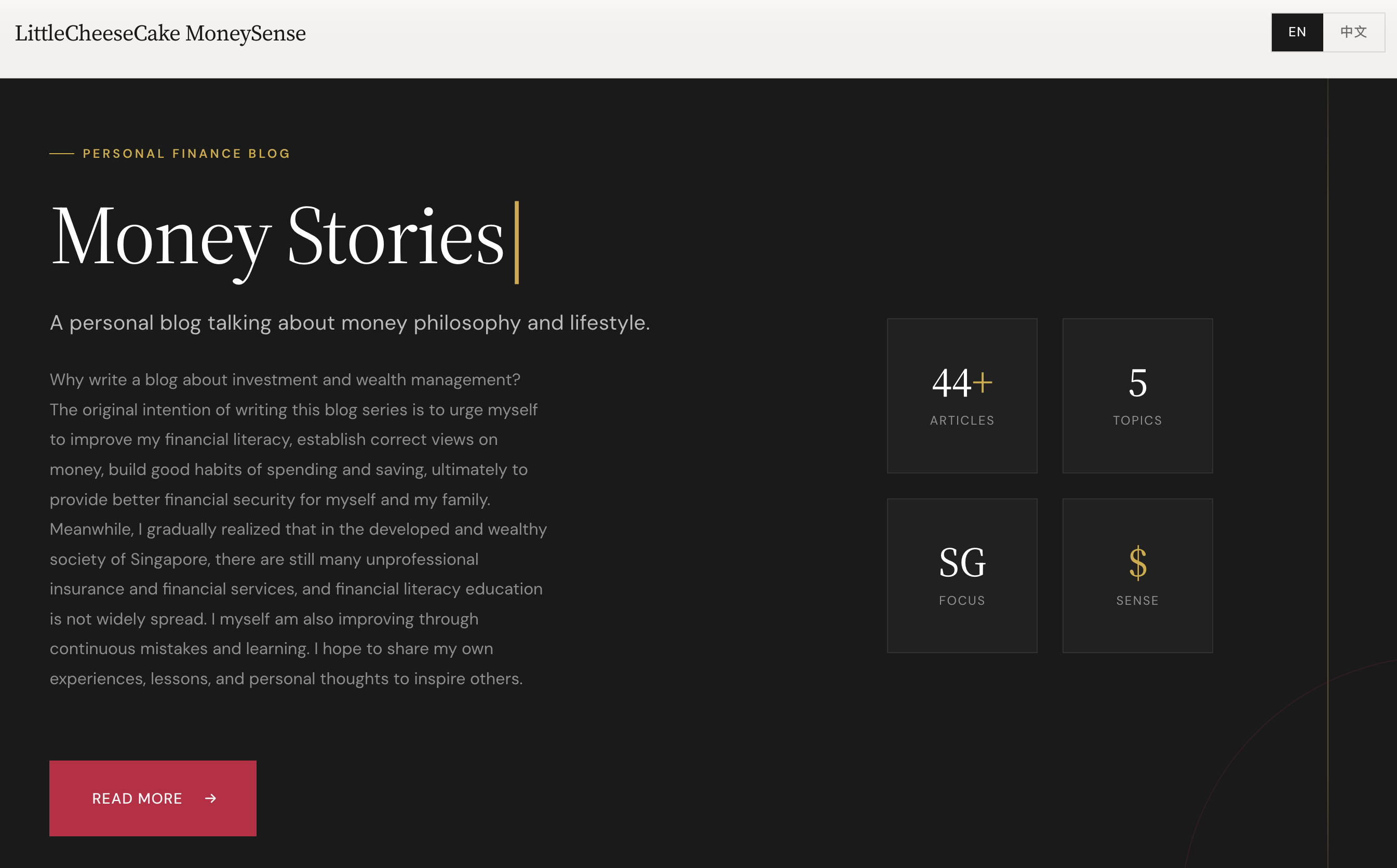
After 5 minutes, I had something really nice. The layout was fresh, modern, and aligned with the finance-meets-feminism vibe I wanted. However, some elements were still slightly off (to my human eyes), similar to the first attempt. I had to manually provide feedback to Claude Code for fine adjustments.
The Unbelievable Part
Over the next few days—spending less than 1 hour before bed each night—I worked with Claude Code to build:
- Navigation header and breadcrumb trail
- A podcast section (with actual hosted podcasts!)
- A newsletter signup feature
- An in-site search function
- SEO optimization
All of this, without writing code myself.
Unbelievable.
Reflections on Vibe Coding
This experiment taught me a few things about working with AI for development:
AI excels at getting you 80% there quickly. The initial setup, boilerplate code, and basic implementations happen fast. But the last 20%—the polish, the edge cases, the structural integrity—still needs human judgment.
You still need to understand the code. Even when you’re not writing it, you need to read it, debug it, and guide the AI when it goes off track. Vibe coding doesn’t mean coding without knowledge; it means coding without typing (at least for me).
AI is a collaborator, not a replacement. The best results came when I treated the AI as a junior developer—giving it clear tasks, reviewing its work, and providing constructive feedback. When I tried to be completely hands-off, the quality suffered.
Iteration is still the name of the game. Just like traditional development, vibe coding requires multiple rounds of refinement. The difference is that each iteration happens much faster.
Would I vibe code again? Absolutely. For rapid prototyping, visual redesigns, and feature exploration, it’s a game-changer. But for production-grade code that needs to be maintained long-term, I’d still want to pair closely with the AI—or write it myself.
