
From Website Redesign to Full Web App
After my first vibe coding experiment - redesigning my MoneySense blog, I wanted to push further. Could I build a full-featured web application without writing code myself? Not just styling and layouts, but actual functionality with complex calculations, data visualization, and multiple interconnected features?
The challenge: Build a Personal Finance Management web app — portfolio management, insurance planning, budgeting, retirement timeline projection, and passive income planning.
The constraint: Same as before—write absolutely no code myself. But this time, the complexity was significantly higher.
- Tool: Claude Code with Opus 4.5 in terminal
- Context: Feature spec document + exported Google Sheets examples of my current personal finance management
- Timeline: One week of fragmented time (working around two young kids)
- Outcome: A functional web app deployed to AWS S3 with 5 features, 1 more to come
The Setup: Good Specs Are Everything
I provided Claude Code with:
- A detailed feature specification document listing all requirements
- HTML exports of my Google Sheets where I currently manage finances
- An empty project folder
That was it. No boilerplate code, no starter templates, just specs and examples.
Task 1: Setup the skeleton (less than 1 hour)
Entering the plan mode, we figured out the tech stack and the high-level features together. Then Claude Code set up the entire React/TypeScript project structure. There were a few UI bugs on mobile screens that needed fixing, but the foundation was solid.
Building Features: The Implementation Journey
Task 2: Portfolio Management (30 minutes)
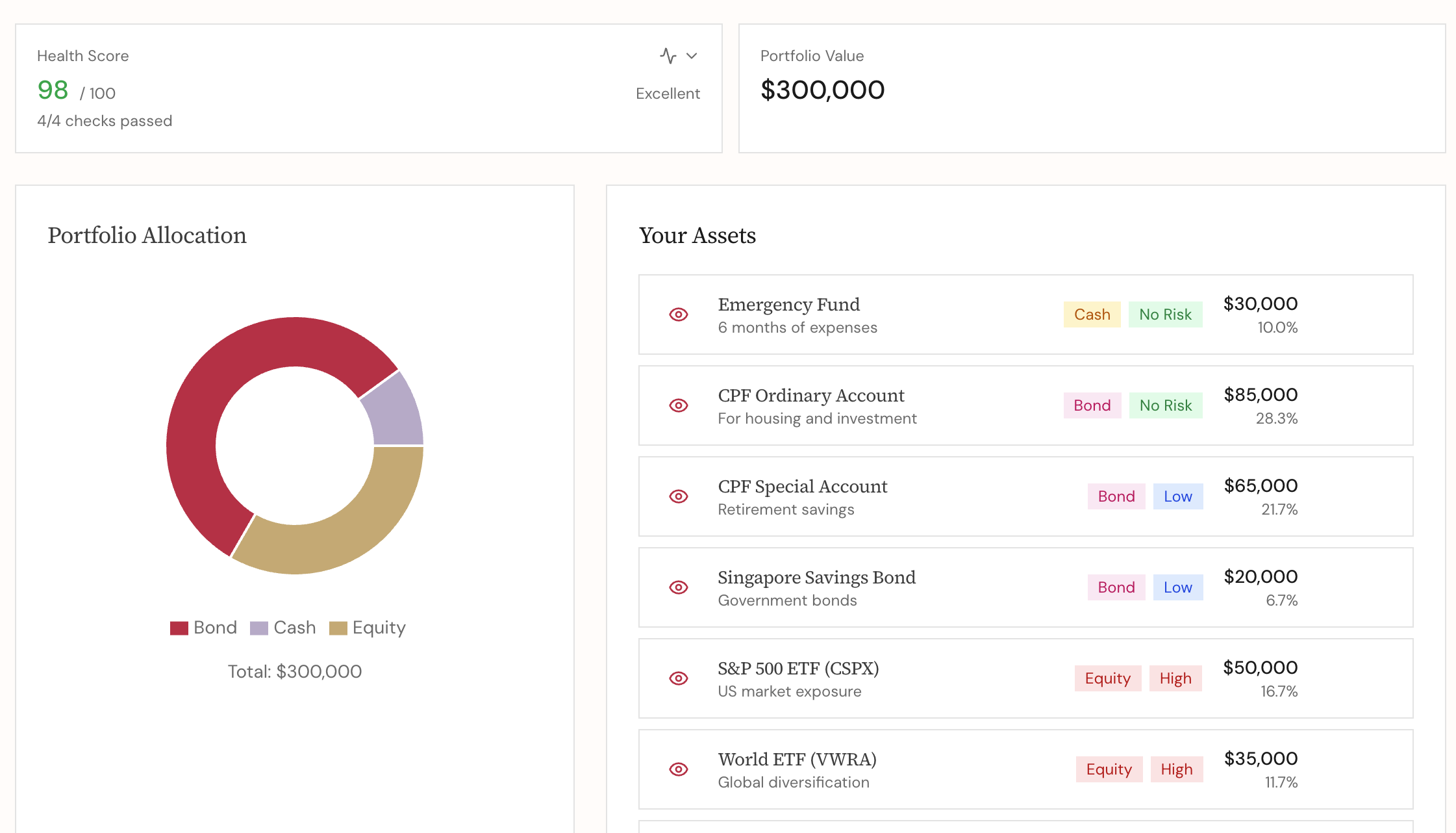
The first feature—allowing input for emergency funds, properties, CPF, investments, and generating financial health reports with pie charts—was implemented surprisingly quickly. Claude Code interpreted my Google Sheets examples and replicated the functionality in the web UI.
This genuinely delighted me: AI can interpret exported HTML from Google Sheets and build equivalent web UIs. I didn’t need to explain the data structure or calculations in detail—it just understood from the examples.
Task 3: Budgeting Feature
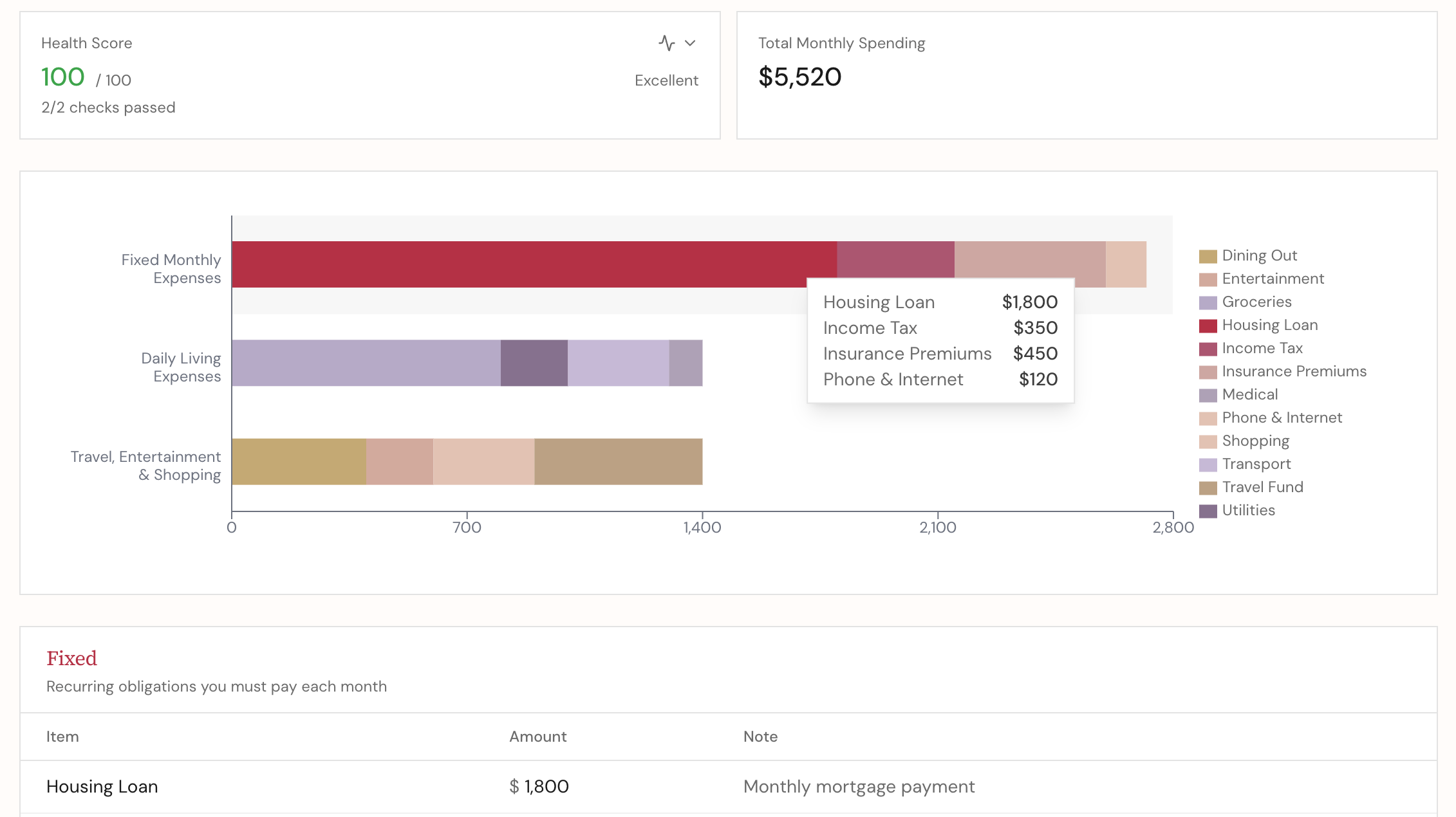
Setting up categories (Fixed/Essential/Flexible expenses) and tracking went smoothly. The pattern was clear now: provide structure, let AI implement.
Task 4: FIRE Path Simulation (took a while)
Here’s where I hit my first major roadblock. The retirement timeline calculation isn’t straightforward—it involves compound returns, spending projections, major milestones like property purchases and children’s education.
The real problem? I hadn’t thought through the requirements clearly myself. I gave Claude Code unclear instructions, and it struggled. After stepping back to clarify the calculation logic and providing better specs, it got back on track.
Lesson learned: AI amplifies your clarity. Vague requirements in → vague implementations out.
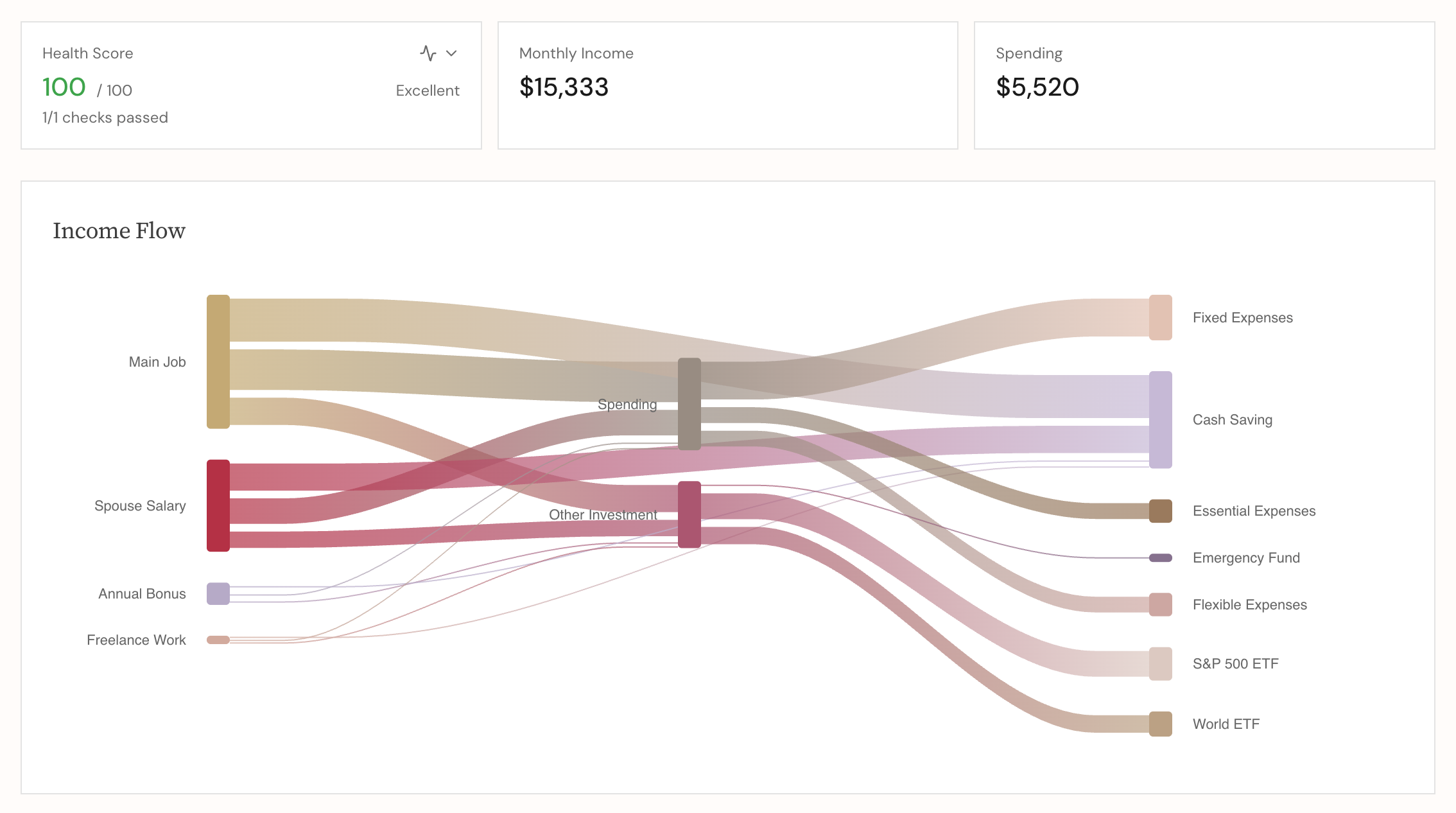
Task 5: Income Planner with Sankey Charts (got stuck)
This one was frustrating. Claude Code got stuck trying to render Sankey charts properly. We went in circles trying custom implementations, different libraries, complex configurations.
Then I checked the official documentation examples myself and realized: we could implement it with the simplest configuration. I gave Claude Code the right instruction—pointing to the exact approach from the docs—and it course-corrected immediately.
Another lesson: Sometimes you need to do the research to guide the AI toward the right path (Some people also shared similar experiences - Claude Code does not like to read dev docs, it just goes into the rabbit hole and cannot get itself out sometimes)
Supporting Features (half a day)
- Export/import data as CSV
- Generate HTML reports
- Financial health analysis
- Feedback channel
- Sample data for getting started (Hit my Claude Code limit and switched to Copilot, which implemented this with a cleaner approach. When I switched back to Claude Code, it believed it had implemented that feature, though the solution was different from where it had left off 🤷🏻♀️)
What Worked Brilliantly
Interpreted examples, not just instructions
Claude Code could read my exported Google Sheets HTML and understand both the data structure and the intended functionality. This saved hours of specification writing.
Handled the ops and deployment complexity
Setting up AWS S3 static hosting, configuring domains, writing deployment scripts—all the tedious DevOps work that I usually dread—was handled with detailed CLI commands in a clear step-by-step instructions.
Made me productive in fragmented time
This might be the most valuable discovery - I didn’t need long blocks of focused time anymore. I could
- Write requirements during one time block
- Prompt Claude Code and let it work
- Get pulled away to change diapers, play with kids, do household chores
- Come back during another fragment of time to review and verify
- Publish if it looked good, or provide feedback for the next iteration
As a mother of two demanding young kids, this was game-changing. Within one week, working only in scattered spare moments, I had a functional personal finance tool.
The last 5% completed by AI
My first vibe coding reflection said AI gets you to 80%, then you do the rest 20%. This time I revised that estimate: after you go from 80% to 95%, then AI can get you from 95% to the finishing line. It handles some tedious but critical tasks e.g.
- Deployment and automation
- Fine-tuning styling
- Polishing copywriting
What Didn’t Work
Hitting rate limits 💸
I frequently maxed out my Claude Code Pro quota. But I learned to use those forced breaks productively—reflecting on requirements, refining my spec documents, thinking through the next features. When the quota reset, I’d feed the improved specs back to Claude Code and it would resume with better direction.
Unclear requirements = wasted cycles
The FIRE path simulation took longer than needed because I hadn’t done my homework. The Sankey chart implementation went in circles because I didn’t bother to check out the developer docs myself upfront.
You still need to understand the domain
I couldn’t just blindly accept outputs. I needed to verify calculations, check data flows, understand the core logic. For financial calculations especially, errors could be costly.
The Real 10-15% That Humans Own
Here’s what I realized about where human value lies in vibe coding:
- The genuine product idea - What problem are we solving? Who is it for? What should it do? How should it actually work in detail? What makes intuitive sense for users?
- Critical path debugging - When calculations are wrong or data flows break, understanding the root cause
- Requirement clarity - Writing really good specs that AI can execute on
- Research and direction - When AI gets stuck, doing the digging to find the right approach
Everything else—the implementation details, the styling iterations, the deployment scripts—AI handles brilliantly.
Next Challenge
The best part? I can be a productive builder even while my kids are napping, playing, or occasionally pulling on my arm asking for attention. That’s the real superpower.
This experience stretched my understanding of what’s possible with vibe coding. I went from website redesign to a fully functional web app with complex features—all without writing code myself.
Next challenge: A fully functional mobile + backend API service + database. Let’s see how far I can push this approach into production-grade systems.
